Getting your YouTube video dimensions right is the difference between a sharp, professional upload and a blurry one with awkward black bars. The standard size is 1920×1080 pixels in a 16:9 ratio, though YouTube supports everything from 240p up to 8K. This guide breaks down every dimension you need, from long-form videos to Shorts, thumbnails, and channel art.
What Are YouTube Video Dimensions
YouTube video dimensions refer to the exact pixel width and height of your video file. The most common size is 1920×1080, known as Full HD or 1080p, though the platform accepts a wide range depending on your content type.
Getting this number right isn’t just a technical checkbox. It directly shapes how your video looks on every screen, from a small phone to a 65-inch smart TV.
Video Dimensions vs Resolution vs Aspect Ratio
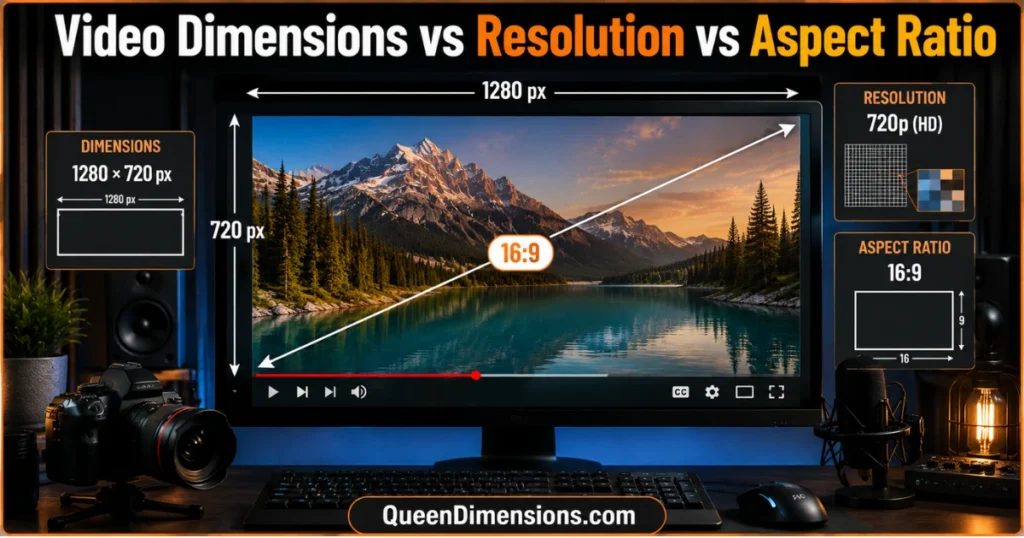
These three terms get confused constantly, but they describe different things. Dimensions are the raw pixel count (1920×1080), resolution is the quality label tied to that pixel count (1080p), and aspect ratio is the shape of the frame (16:9).
Think of aspect ratio as the shape of a picture frame, resolution as the sharpness of the image inside it, and dimensions as the actual measurement that creates both. Once this clicks, choosing the right video size for YouTube becomes much simpler.
Why Correct YouTube Video Dimensions Matter for Views and Retention
Wrong dimensions cause cropping or black bars, and viewers notice within seconds. Since over 70% of YouTube watch time happens on mobile devices, a poorly sized video loses attention fast, especially among younger US audiences scrolling on their phones.
Correct YouTube video size also signals quality to the algorithm indirectly. Videos that display cleanly tend to hold watch time better, and watch time remains one of YouTube’s strongest ranking signals.
Standard YouTube Video Dimensions by Resolution
YouTube supports resolutions from 240p all the way to 4320p, better known as 8K. Most creators only need 1080p or 4K, but knowing the full range helps you plan uploads smarter.
| Quality | Dimensions |
| 240p | 426×240 |
| 360p | 640×360 |
| 480p | 854×480 |
| 720p HD | 1280×720 |
| 1080p Full HD | 1920×1080 |
| 1440p | 2560×1440 |
| 2160p 4K UHD | 3840×2160 |
| 4320p 8K | 7680×4320 |
Best YouTube Video Dimensions for 1080p and 4K
For most channels, 1920×1080 hits the sweet spot between crisp quality and manageable file size. It uploads faster than 4K and still looks sharp on nearly every screen.
If you’re producing tutorials, product demos, or cinematic content, 3840×2160 delivers noticeably more detail on larger displays. Just expect longer upload and processing times with 4K files.
Minimum YouTube Video Dimensions You Should Avoid
Uploading below 720p is rarely worth it for a modern channel. Viewers now expect crisp visuals, and anything under 480p tends to look muddy on desktop and TV screens.
Low-resolution uploads also limit your video’s flexibility later. You can’t upscale a 360p file into a clean 1080p version, so starting with proper dimensions for YouTube video protects your content long-term.
YouTube Shorts Video Dimensions
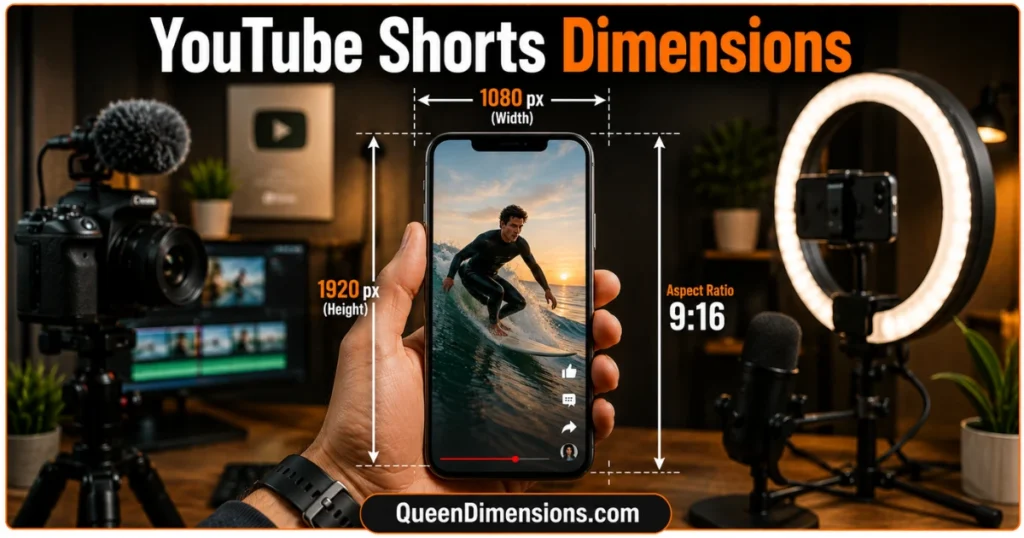
Shorts dimensions differ from standard videos because they’re built for vertical, mobile-first viewing. The recommended size is 1080×1920 pixels in a 9:16 ratio, capped at 60 seconds in length.
Recommended Shorts Dimensions (1080×1920, 9:16)
The vertical format matches how people naturally hold their phones, filling the entire screen without side bars. Shooting horizontally and cropping later almost always weakens the final result.
For the sharpest playback, keep your footage between 720p and 1080p. Going above 1080p rarely improves quality noticeably but does increase file size and upload time.
YouTube Shorts Cover Image Dimensions
Your Shorts cover image should match the same 1080×1920 vertical frame as the video itself. This is the still image viewers see before tapping play, so it needs to be sharp and correctly cropped.
A mismatched cover image gets stretched or padded by YouTube’s player, which looks unpolished next to a properly sized thumbnail. Always export your cover at the exact vertical dimension your Short uses.
YouTube Video Dimensions by Aspect Ratio
Aspect ratio determines the shape of your frame, and YouTube officially supports four main ratios. Picking the right one from the start avoids cropping or black bars after upload.
16:9 Widescreen Dimensions
The 16:9 ratio, most commonly 1920×1080, is YouTube’s default and most recommended shape for long-form content. It fits desktop monitors, laptops, and TVs without any adjustment.
This ratio also matches how the YouTube player itself is built. Nearly every long-form video on the platform, from vlogs to documentaries, uses this widescreen format.
9:16 Vertical and 1:1 Square Dimensions
Vertical 9:16, typically 1080×1920, is built for Shorts and mobile-first content. The 1:1 square ratio, usually 1080×1080, works well for cross-posting to Instagram or square-friendly platforms.
On desktop, square videos display with black bars on the sides since the player defaults to widescreen. On mobile, YouTube adjusts the square frame automatically for a cleaner view.
4:3 Legacy Dimensions and Why YouTube Still Supports It
The 4:3 ratio was standard on older televisions and is now considered a legacy format. YouTube still accepts it, mainly for archived footage or a deliberate retro aesthetic.
Because modern screens are built for widescreen, 4:3 videos appear with black bars at the top and bottom on desktop. It’s rarely a good choice for new content aimed at today’s audience.
YouTube Thumbnail and Channel Asset Dimensions
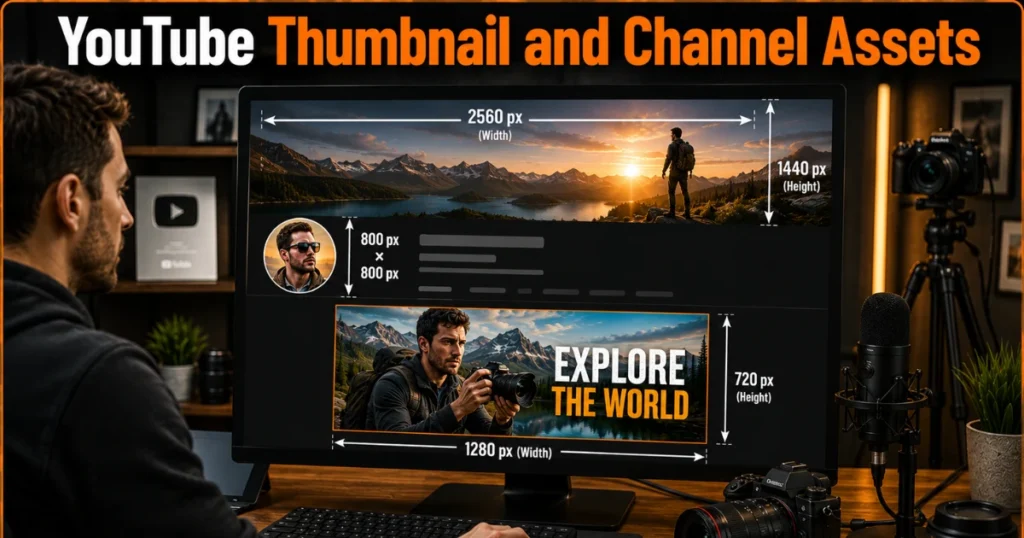
Beyond the video itself, your thumbnail and channel branding need matching dimensions to look sharp and professional. Mismatched sizes lead to stretching, blurring, or awkward cropping.
Correct YouTube Thumbnail Dimensions (1280×720)
The recommended thumbnail size is 1280×720 pixels, matching the same 16:9 shape as your video. This keeps visual consistency between what viewers see in search results and what plays after they click.
Thumbnails should stay under 2MB and use JPG, PNG, or GIF format. Test yours on both mobile and desktop, since small text can become unreadable on a phone screen.
YouTube Channel Banner and Profile Picture Dimensions
Your channel banner works best at 2560×1440 pixels, which displays properly across desktop, mobile, and TV without cropping key elements. Keep important text and logos centered, since the edges get trimmed on smaller screens.
Your profile picture should be 800×800 pixels, since it displays as a small circle throughout the platform. Simple, bold imagery reads better at this small size than detailed or busy designs.
File Format, Bitrate, and Specs That Pair With Your Dimensions
Correct dimensions only matter if paired with the right file format and bitrate. Getting both right ensures YouTube processes your upload quickly and plays it back at full quality.
Best Video Format for YouTube Uploads
MP4 with an H.264 video codec and AAC audio codec is YouTube’s recommended format. It balances smaller file sizes with strong visual quality, making uploads faster and playback smoother.
Other formats like MOV, AVI, and WMV are also accepted, but MP4 remains the most reliable choice. Matching this format to your correct video dimensions avoids unnecessary compression during processing.
Recommended Bitrate by Resolution
Bitrate controls how much data your video carries per second, directly affecting sharpness. For 1080p, a bitrate around 8 Mbps for standard frame rates works well, while 4K benefits from roughly 35-45 Mbps.
Pairing the wrong bitrate with high dimensions wastes storage without improving quality. Matching bitrate to resolution keeps your file efficient while still looking crisp on playback.
FAQs About YouTube Video Dimensions
What is the standard YouTube video dimension?
The standard is 1920×1080 pixels, known as 1080p or Full HD, in a 16:9 aspect ratio.
Are YouTube videos 1920×1080 or 1280×720?
Both work fine. 1920×1080 is the common standard, while 1280×720 is the minimum HD size.
What dimensions should I use for YouTube Shorts?
Use 1080×1920 pixels in a vertical 9:16 ratio, built for mobile screens.
What happens if my video doesn’t match YouTube’s dimensions?
YouTube adds black bars or crops your footage, depending on the mismatched aspect ratio.
What is the best YouTube thumbnail dimension?
The best thumbnail size is 1280×720 pixels, matching the standard 16:9 video shape.
What dimensions are needed for a 4K YouTube video?
4K uploads use 3840×2160 pixels, offering sharp detail for large screens.
What is the YouTube channel banner size?
The ideal channel banner size is 2560×1440 pixels for clean display across all devices.
How do I check the dimensions of a video before uploading?
Open your file’s properties or export settings in your editing software to confirm the exact pixel size.

Hi, I’m Ethan Miller, the admin behind QueenDimensions.com. We make understanding Dimensions simple. Explore clear guides on realms, energy, and hidden layers of reality. No confusion, just clarity.